01
Task
Assign the required work to yourself or another team member.
 ProChat
Business Coordination
ProChat
Business Coordination
Most messaging applications are designed to help people exchange messages.
ProChat is designed to help organizations coordinate work through messages.
Construction and other businesses communicate every day with employees, consultants, clients, vendors, contractors, partners and people from other organizations.
The challenge is not simply sending or receiving messages. It is finding the right conversation, identifying what requires action, assigning responsibility, following up, preserving context and ensuring that the organization's communication remains available even when people change.
ProChat brings these requirements into a structured professional business-chat environment, connected with BcStep BON.
It supports communication within an organization as well as communication between organizations whose users are registered on BcStep.
External one-to-one communication can also be initiated using Customer-ID and PIN, even when the two organizations are not connected on a project.
ProChat is designed to help organizations coordinate work through messages.
Construction and other businesses communicate daily with employees, and other organizations.
finding the right conversation
identifying what requires action
assigning responsibility
following up
preserving context
It supports communication within an organization as well as communication between organizations whose users are registered on BcStep.
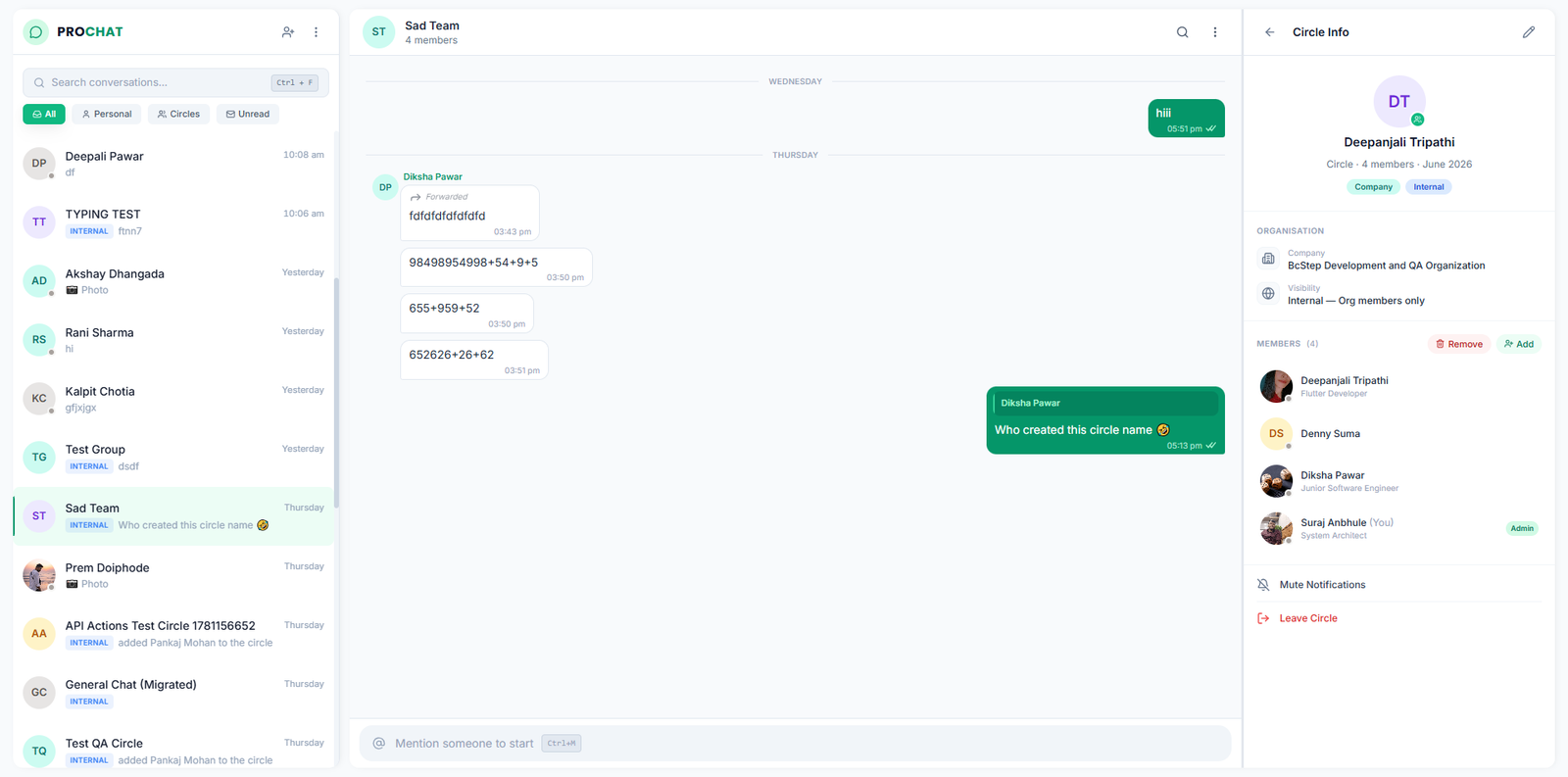
ProChat keeps the simplicity and speed of instant messaging while adding business structure around every conversation.
Within My Diary, messages can be further categorized as:
This means a message does not have to remain just a message.
It can become work.ProChat is also integrated with My Diary, Calendar, HRM, ProCom, Task Manager and BcStep ERP, allowing information and actions to move seamlessly between communication and execution.
ProChat is not an open social messaging platform where anyone can simply create an account and start contacting people.
A person can use ProChat only after being connected with an organization. This keeps the platform focused on professional and business communication.
ProChat is not an open social messaging platform where anyone can simply create an account and start contacting people.
A person can use ProChat only after being connected with an organization. This keeps the platform focused on professional and business communication.
Your contacts can therefore come from different business relationships within the BcStep network.
Business IdentityEmployees connected to your organization, branch, department or project can become automatically available in your Contacts, based on the access and contact settings permitted by your organization.
Internal NetworkWhen your organization is connected to another organization through a project, relevant people from those organizations can also become available in your Contacts, enabling communication within the connected project environment.
Project BridgeYou can also initiate a 1-to-1 conversation with a person from your own organization who is not connected to your particular branch, department or project, using their Customer-ID and PIN.
Internal ChatProChat also allows you to communicate with employees of other organizations—even when you are not connected through a project, and even when your organizations belong to different business categories, provided they are registered on BcStep.
You can initiate such a conversation using the other person's Customer-ID and PIN.
External ConnectIf you no longer wish to continue the conversation, simply select Close Chat. The connection will remain closed until you or the other person intentionally reconnects using the required Customer-ID and PIN process.
This gives you control over when and for how long you remain connected with an external contact, according to your business requirements.
In this form of connectivity, your PIN is never revealed to the person you connect with. Therefore, knowing your Customer-ID alone does not allow your colleagues or people from the other organization to contact you without your permission.
Privacy FirstFounder, Partners, Key Managers and HR/Accounts Heads can choose to keep their personal contacts hidden from the default Contacts view of other employees and connected organizations, providing an additional layer of privacy.
They can still initiate communication with anyone through the appropriate Customer-ID and PIN process.
This allows professionals to remain privately connected while maintaining structured business relationships.
A Developer can communicate with an Architect, an Architect with a Contractor, a Contractor with a Supplier—or professionals from entirely different industries can communicate—without having to exchange personal mobile numbers simply to start a professional conversation.
VIP PrivacyThe problem with business chat is rarely the number of messages.
It is finding the messages that matter.
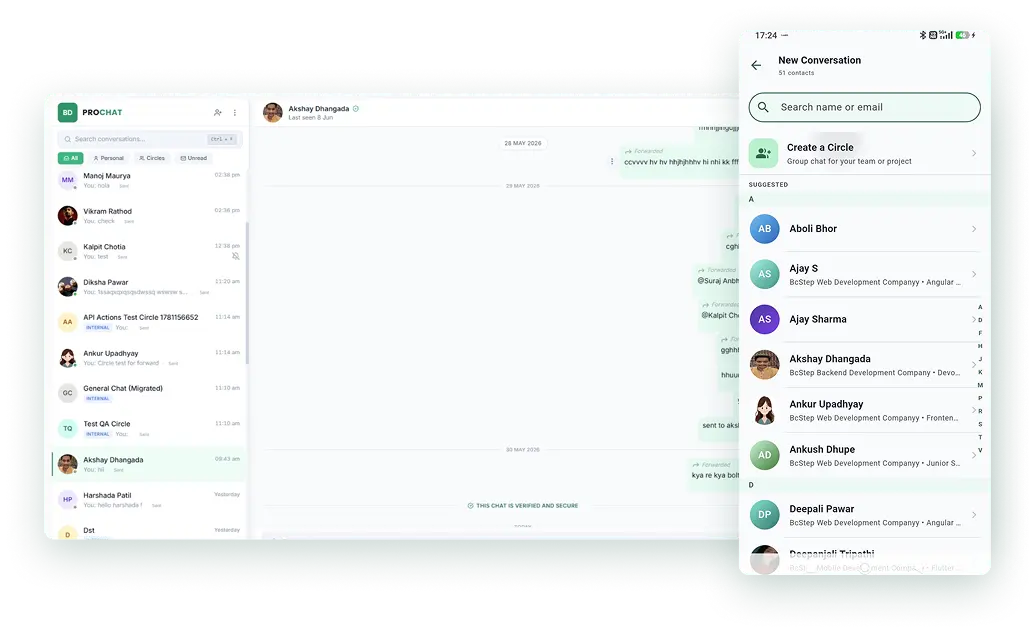
ProChat organizes conversations through intelligent filters:
Personal communication with office members and organization-wide announcements.
Direct individual conversations with outsiders, kept separate from group communication.
Group conversations—both with outsiders and within the organization—in which you have been specifically mentioned.
Less-important conversations—both with outsiders and within the organization—grouped together to reduce distraction while keeping them accessible.
Conversations—both with outsiders and within the organization—that you have muted, grouped separately so they do not distract you while remaining accessible whenever required.
Important messages that you have temporarily marked for future reference.
Messages that you have prepared but have not yet sent.
In group conversations, specifically mentioned messages can still be surfaced even when the group itself is muted, helping employees focus on conversations that require their attention.
Less searching. More focus.Reading a message is only the beginning.
Assign the required work to yourself or another team member.
Flag the message for your own response or assign responsibility for responding to a team member.
Mark the message for your own follow-up or assign it to a team member so that the required follow-up does not get lost in the conversation.
Send the matter to your own Diary and your colleague’s Diary to notify them for discussion with you before taking any further action.
Keep an important message aside when you are busy or not yet ready to decide who should handle it.
Keep conversations that you consider important for future reference in your personal archive, so they remain easily accessible.
Every action remains connected to the original conversation and its attached files, preserving the complete context behind the work—even when the team member assigned the action was not part of the original conversation.
When assigning an action to a team member, you can also specify a target date for completion.
In a conventional or social messaging application, a manager may know that a message was sent—but not necessarily who has taken responsibility for it.
Who picked up the conversation?
What action are they taking?
Has the action been completed?
When the assigned employee completes the action and marks its status as Complete, the updated status becomes visible to the person monitoring or assigning it.
From “I sent the message” to “I know who is handling it.”
When an organization joins a group, its participation remains under organizational control.
The group creator, or Super Admin, can initially add only one representative from another organization to a Cross-Organizational Group.
That person becomes the Group Admin for their organization.
The Group Admin can then add or remove members only from their own organization.
Even the Super Admin cannot directly add or remove individual members of another organization. Any addition or removal of members from an organization within the group can be carried out only by that organization's Group Admin.
If the Super Admin removes an organization's Group Admin, all members belonging to that organization are automatically removed from the group.
Founder, Partners, Key Managers and HR/Accounts Heads are treated as default Group Admins for their organization, even if they join the group at a later stage.
This ensures that each organization maintains control over its own participating resources.
The organization controls its participation—not the individual employee.
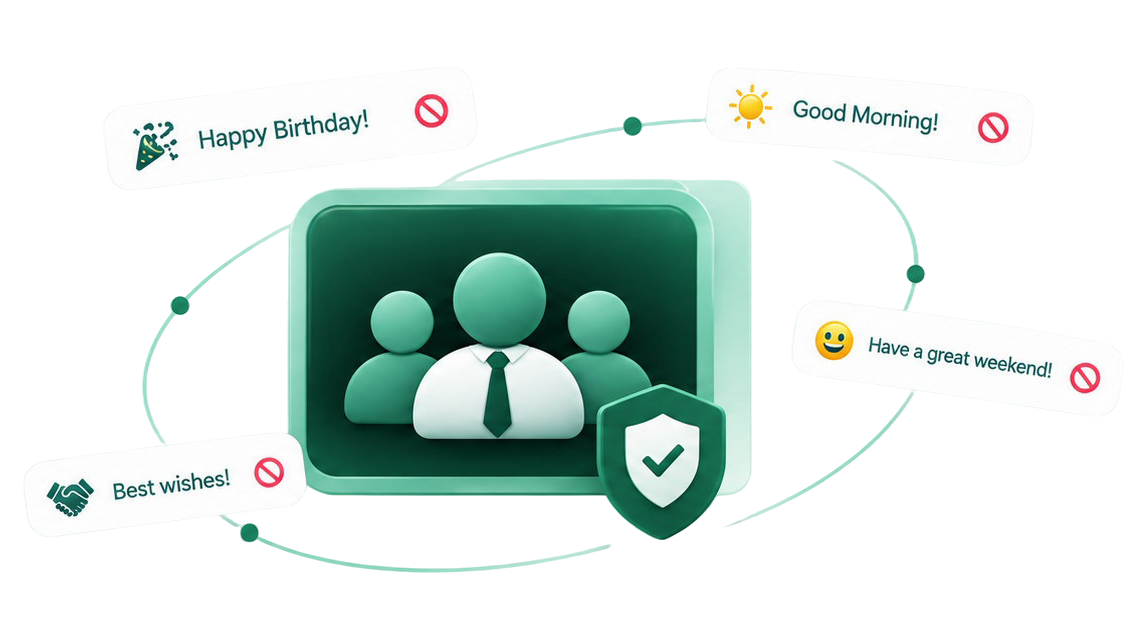
ProChat is designed specifically for professional communication.
Its AI-based controls can prevent non-business social content—such as festival greetings, birthday wishes, Good Morning messages, employee goodbye messages and similar social conversations—from cluttering business groups.
The objective is not to make communication less human.
It is to keep business groups focused on business.
Actions originating from ProChat can connect with the employee's Calendar.
This can bring together:
Employees can therefore see what requires attention and on which date, without maintaining multiple independent planners.
ProChat's broader integration of My Calendar with HRM, ProCom, Task Manager and BcStep ERP creates a connected schedule across the wider BcStep BON.
Your Calendar doesn't just show your appointments. It reflects the work created across your connected business environment.
This is one of ProChat's important organizational controls.
When an employee leaves an organization, the chats conducted on behalf of that organization are automatically removed from the employee's device, and the employee is disconnected from the organization's groups and identity.
The employee therefore cannot continue communicating using the identity of their previous organization.
But the organization does not lose its communication history.
This means that if a project discussion took place six months ago, the organization can retain that history even though the employee who participated in it has left.
ProChat's approach is fundamentally different from social messaging applications.
Employees do not independently control the permanent deletion of organizational communication.
For 1-to-1 conversations within an organization, any participant may initiate a deletion request, but the deletion can be completed only by authorized organizational roles such as Founder, Partners, Key Managers or HR/Accounts Heads.
For 1-to-1 conversations between employees of different organizations, removing the conversation from both organizations’ sides requires the respective authorized representatives of both organizations to approve the deletion request on behalf of their organizations.
For Internal Organizational Groups, any participant may initiate a deletion request, the deletion can be completed only with approval from an authorized Founder, Partner, Key Manager or HR/Accounts Head of that organization.
For Cross-Organizational Groups, deletion requests may be initiated by any participant, while the authorized organizational representatives or the Group Admins can approve the deletion on behalf of their respective organizations.
If an organization’s representative or Group Admin does not approve the request, the conversation remains available in that organization’s records.
For complete transparency, all other participating organizations are notified of which organization has not approved the deletion request.
This creates a controlled approach to communication deletion while preserving:
Keep professional conversations organized and focused.
Turn messages into Tasks, Replies, Follow-ups or Discussions.
Communicate directly with registered professionals outside your organization.
Business communication remains connected to the organization rather than an employee's personal identity.
See who has taken responsibility and what action they are taking.
Convert conversations into trackable work without duplicate data entry.
Build agendas collaboratively and maintain organization-specific MOM records.
Keep meetings, site visits and communication-driven actions visible in one connected calendar.
Keep project and business groups focused and organized.
Retain company communication history even after employees leave.
Discuss documents and information from other BcStep BON applications without losing context.
Generate insights into communication patterns, responsiveness, group participation and work behaviour to support better workforce management and performance reviews.